Pixelfy is a pretty easy design platform, even a common man can design awesome presentations, cover photos, posters, invitations, etc. It’s a huge library of professionally designed presentation templates with most of them free. It provides the combined effect of Photoshop & PowerPoint, so it’s extra powerful yet very convenient
It’s well known that Microsoft PowerPoint presentations are not supported on iPads or other Apple devices. Enjoy viewing PowerPoint presentations on an iPad with animations, transitions and embedded audio and video. Start converting your presentations to HTML5 slideshow with HTML5Point – PowerPoint to HTML5 Converter now! PowerPoint to HTML5 converter
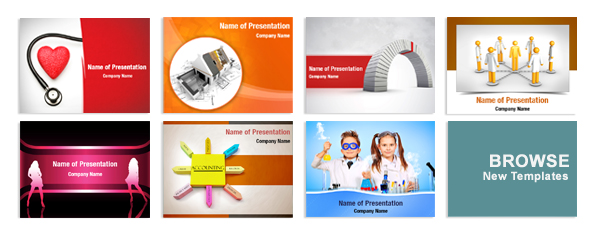
We proudly added 300+ new PowerPoint templates to our template library. Over 1,40,000 spectacular professional slides to choose from. We are adding hundreds of new templates every month. Free monthly updates with hundreds of new templates. Browse Newly PowerPoint Templates: http://www.digitalofficepro.com/ppt/newly-added-powerpoint-template-backgrounds.html
DigitalOfficePro announces the release of world’s first PowerPoint to HTML5 converter. HTML5Point is a comprehensive and efficient free conversion tool that helps you to easily convert professional looking PowerPoint presentations to HTML5 format. The converted output in HTML5 format allows you to view the slideshows on mobile devices or easily
Enrich your holiday shopping with DigitalOfficePro products. we have dropped awesome New Year offer for any of the DigitalOfficePro products. Earn 40% discount for any product by entering the coupon code DIGI40XMS at the time of checkout. For more details visit: www.digitalofficepro.com/offers.html
Jan 26-27, Learning Technologies, Olympia 2, London. Zenler platform rocked the show with eLearning users flocking in. We had lots of people coming to the stall having recommended by their colleagues/partners who had spread the word of mouth after experiencing it yesterday. It created a real buzz in the e-Learning
January 26, London. Learning technologies 2011 kicked off this morning. Zenler Studio and Zenler Online got off to a flying start as it was launched today at the expo. It captured the imagination of visitors. Zenler stall #22 looked stunning. We have been overwhelmed by the response on the first
To make the “Happy Holiday” season hopefully even happier, we have dropped awesome discount for any of the DigitalOfficePro products. We think it would be an amazing time to buy DigitalOfficePro products. DigitalOfficePro is offering 30% off for any product in the store. Simply enter the Discount Code DP345038 and
DigitalOfficePro today announced the launch of PowerInteractPoint – Rapid Authoring of interactive Content for eLearning, Web & Presenters. After a private beta, today mark’s the launch of DigitalOfficePro’s PowerInteractPoint. No more expensive Flash content creators. No more use of time consuming and costly authoring tools. Cut your interactive e-learning content
Black Friday One Day Shopping Event DigitalOfficePro’s Black Friday One day Shopping Event is here. You can now get 20% OFF on all purchase of DigitalOfficePro products. The discount is instant, no more rebates. Use Coupon Code BF29345 to get discount. The very special Black Friday discount expires on Nov